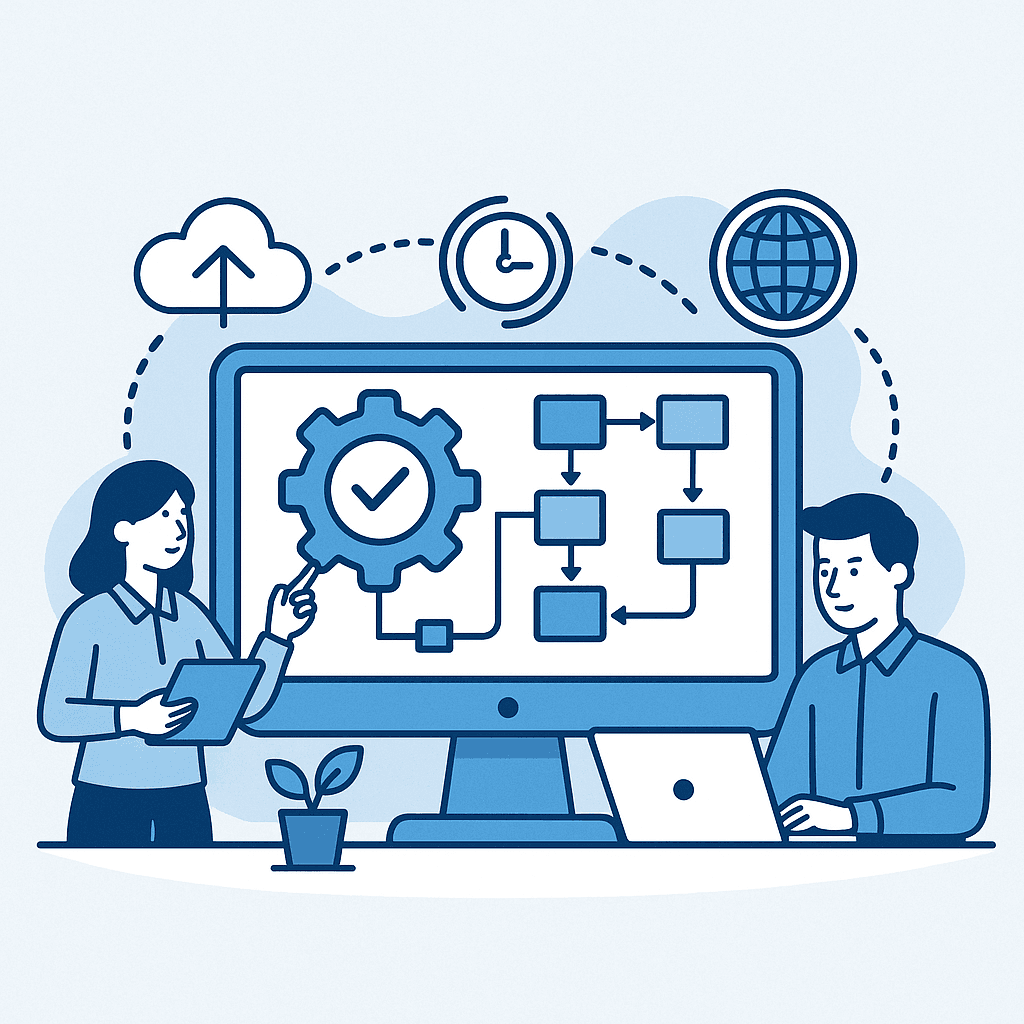
How to Automate Business Workflows with Custom Software
Business workflow automation is not only about removing manual tasks.
It is about designing a more reliable operating model where teams, systems and data flows work together without unnecessary friction.
Many companies already use SaaS tools, ERP systems, CRM platforms, spreadsheets, shared folders and reporting dashboards. Yet their daily operations are still slowed down by repetitive actions:
- copying data from one system to another
- checking statuses manually
- preparing recurring reports
- validating requests by email
- generating documents by hand
- reconciling operational data in Excel
- chasing updates across teams
Custom software can automate these workflows when off-the-shelf tools do not match the real business process.
This guide explains how to automate business workflows with custom software in a practical, scalable and business-oriented way.
What Is Business Workflow Automation?
Business workflow automation is the use of software to execute, coordinate or monitor recurring business processes with less manual intervention.
A workflow can involve:
- people
- forms
- approvals
- business rules
- data validation
- notifications
- documents
- ERP or CRM records
- reporting outputs
- API calls
A simple example is an approval workflow.
Without automation, a request might be sent by email, reviewed manually, copied into a spreadsheet, validated by a manager and then entered into an ERP system.
With automation, the request is submitted through a controlled interface, routed to the right approver, validated against business rules, logged in the system, synchronized with the ERP and tracked through a dashboard.
The goal is not to remove people from the process. The goal is to remove unnecessary friction around them.
Why Custom Software Is Often Better Than Generic Automation Tools
Generic workflow tools are useful for standard processes. They can help with simple approvals, task tracking or basic automation.
But many business workflows are not standard.
They depend on:
- specific business rules
- industry constraints
- legacy systems
- ERP or CRM data structures
- approval hierarchies
- custom KPIs
- finance or operational controls
- data validation logic
- security requirements
This is where custom software becomes valuable.
Custom workflow automation allows a company to build the exact execution layer it needs instead of forcing teams to adapt to a generic tool.
A custom platform can connect directly to your existing systems, apply your business rules, expose the right interface to each role and generate the operational data needed for reporting.
Step 1: Map the Current Workflow
Before building anything, the first step is to understand the current process.
This includes:
- where the workflow starts
- who is involved
- what data is needed
- which tools are used
- what decisions are made
- where delays happen
- what errors occur frequently
- what outputs are expected
A workflow map should not only describe the ideal process. It should capture the real process as it happens today.
This is important because automation based on an imaginary process usually fails.
The best automation projects start by observing operational reality: the Excel files, manual checks, emails, exceptions, workarounds and hidden dependencies that keep the business running.
Step 2: Identify What Should Be Automated
Not every task should be automated.
Some decisions require human judgment. Some exceptions are too rare to justify automation. Some manual steps are valuable because they create control.
The best candidates for automation are usually tasks that are:
- repetitive
- rule-based
- time-consuming
- error-prone
- dependent on structured data
- repeated across teams
- important for reporting or compliance
Examples include:
- generating invoices or quotes
- routing approval requests
- synchronizing CRM and ERP records
- validating uploaded files
- sending status notifications
- preparing recurring operational reports
- updating workflow statuses
- creating tickets from form submissions
- reconciling business data across systems
The objective is to automate where software improves speed, reliability and traceability.
Step 3: Define the Target Workflow
Once the current process is understood, the next step is to design the target workflow.
This means defining:
- user roles
- required screens
- input forms
- validation rules
- approval steps
- data model
- status lifecycle
- notification logic
- integration points
- reporting needs
- audit trail requirements
This step transforms a vague automation idea into a clear software blueprint.
For example, instead of saying “we need to automate order processing”, the target workflow should define exactly what happens when an order is created, who validates it, which data is checked, what system is updated, what document is generated and what dashboard shows the final status.
Step 4: Build a Focused MVP
A common mistake is trying to automate everything at once.
A better approach is to build a focused MVP around the highest-value part of the workflow.
The MVP should include:
- the core interface
- the main business rules
- the essential database structure
- the first integration points
- the key status tracking logic
- the minimum reporting required to prove value
The goal is to validate the workflow quickly with real users.
Once the first workflow is stable, the platform can expand to additional roles, integrations and automation scenarios.
Step 5: Connect the Workflow to Existing Systems
Workflow automation becomes much more powerful when it connects with the systems already used by the company.
Typical integrations include:
- ERP systems
- CRM platforms
- accounting software
- payment systems
- inventory systems
- BI tools
- databases
- email services
- document storage
- third-party APIs
The custom workflow platform can act as a controlled orchestration layer between these systems.
For example, a sales workflow might start in a CRM, generate a quote, trigger an approval, create a record in the ERP, generate a PDF and expose the final status in a dashboard.
Without integration, automation remains isolated. With integration, automation becomes part of the operating system of the company.
Step 6: Add Monitoring, Logs and Reporting
A workflow platform should not only execute tasks. It should also make the process visible.
Useful monitoring features include:
- workflow status dashboards
- pending approval views
- SLA tracking
- failed automation logs
- user action history
- exception queues
- performance KPIs
- operational analytics
This is where custom software creates long-term value.
Instead of relying on scattered updates, managers can see exactly where work is blocked, which tasks are delayed and where the process needs improvement.
Common Use Cases for Custom Workflow Automation
Custom workflow automation can support many operational areas, including:
- finance approvals
- quote and invoice generation
- procurement requests
- customer onboarding
- supplier management
- sales operations
- inventory adjustments
- order tracking
- HR validations
- project portfolio management
- data quality workflows
- reporting preparation
The best use cases are usually found where teams repeatedly move information between disconnected tools.
Measuring the ROI of Workflow Automation
The ROI of workflow automation can be measured through several indicators:
- hours saved per month
- reduction in manual errors
- faster cycle time
- fewer duplicated entries
- better process visibility
- improved compliance
- lower operational backlog
- faster decision-making
- reduced dependency on spreadsheets
However, the most important benefit is often control.
A well-designed automation platform helps the company know what is happening, who is responsible, what has been validated and where the process stands.
How Datilog Helps
Datilog helps companies design and build custom workflow automation platforms that connect business processes, data and systems.
Our approach combines:
- process mapping
- custom software development
- API integration
- database design
- automation logic
- reporting and dashboards
- operational workflow optimization
We focus on practical business outcomes: reducing manual work, improving visibility and building internal tools that fit the real way your company operates.
If your teams are still managing critical workflows through spreadsheets, emails and disconnected tools, custom software can become the execution layer that makes operations faster, clearer and more scalable.
Discuss your workflow automation project with Datilog
Related Datilog resources
To go deeper into this topic, explore these Datilog resources:


